Skip to content
logo logoSelf Service
Sign In Sign Up
  • Home
  • Knowledgebase
Back

How to collect SRM SRA logs

Updated 04/28/2022 03:42:45 PM by hvuser
  • PDF
  • Print
  • Share
    • Facebook
  • Copy To Clipboard
  • Collapse All Expand All

Content


Objective

How to collect Logs for SRM 8.4 and SRA 2.5

Environment

  • SRM 8.4
  • SRA 2.5 Photon based

Procedure

  1. Logon to the VMware SRM Appliance Management 
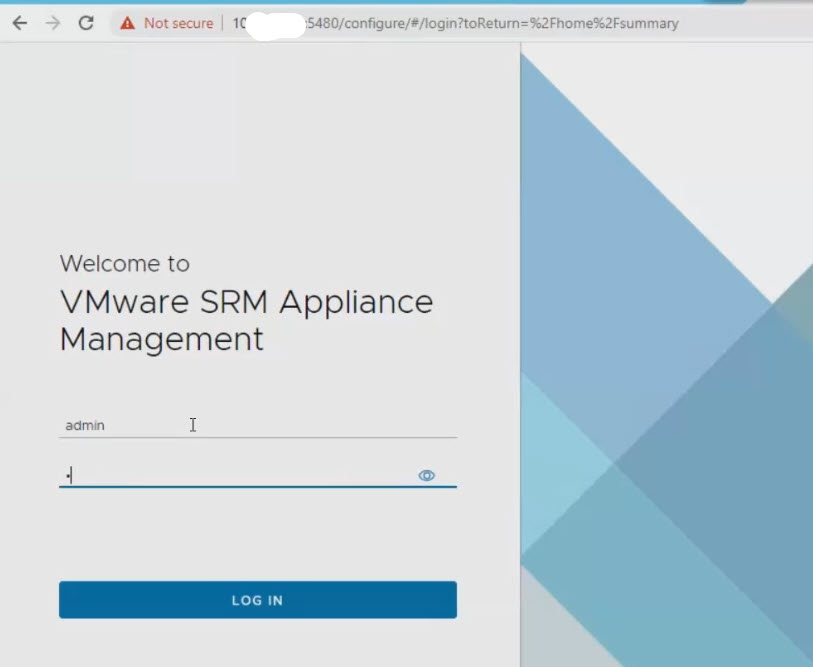
240417200180470.jpeg

2. Click "DOWNLOAD SUPPORT BUNDLE"

240417200180471.jpeg

3. SRM will generate Log bundle

240417200180472.jpeg

4. Once done, "DOWNLOAD" button will be available, click on it.

240417200180473.jpeg

5. Watch for the downloaded file at the bottom, once done, click close.

240417200180474.jpeg

6. Repeat the step on the Recovery site SRM Appliance Management as well.

7. Upload the 2 log bundle files to TUF for GSC to review.


Additional Notes

Make sure to provide support bundle from Protected and Recovery site. These support bundle includes Hitachi SRA logs as well.


CXOne Metadata

Tags: article:howto,VMware,Site Recovery Manager,SRM,SRA,pagetype:knowledgearticle,Logs,Storage Replication Adaptor

PageID: 135964

Keywords: https://knowledge.hitachivantara.com/Support_Information/Data_Collection/How_to_collect_SRM_SRA_logs

Related Solutions

  • Data Collection
  • Enterprise Data Collection
  • How to Collect VSP G/F350 G/F370 G/F700 G/F900 Dump Files Using the SVP Dump Tool
  • CCI Data Collection
Solution ID
242403060135964
Last Modified Date
04/28/2022 03:42:45 PM
Attributes
Page Privacy and Permission Assignment
  • Page Privacy: Private
  • Page Level Permissions: Anonymous; Employee; Service Partner; Customer; Knowledge Author; Knowledge Editor; IT; eServices; Knowledge Draft
  • Article: howto
  • Pagetype: knowledgearticle
Taxonomy
  • Support Information > Data Collection
Collections
  • Guest (Public)

Solution to Copy:

Copy to Clipboard

Failed to download PDF file.

Problem creating pdf file for the solution: 242403060135964
Close

Acknowledged.

Thank you for acknowledging that you have read and understood this solution.

Failure.

Unable to acknowlege. An error occurred.
Knowledge
  • Knowledgebase
Helpful Links
  • Community
  • Product Documentation
Upland RightAnswers | Self Service - 2024R2.0.0
© 2026 Upland Software, Inc. All Rights Reserved