

Summary
When a problem or event related to permissions occurs on the Hitachi Network Attached Storage (HNAS) System, it is normal that Hitachi Vantara Global Support Center requests additional information and outputs from you when a support case is handled. This specific information provides further configuration from the cluster.
Question
What Information Do I Need To Gather To Allow GSC To Diagnose a Hitachi Network Attached Storage (HNAS) Security Permissions Issue?
Environment
Hitachi Network Attached Storage (HNAS) 15.3 and earlier.
- Hitachi Network Attached Storage 4060 (HNAS 4060)
- Hitachi Network Attached Storage 4080 (HNAS 4080)
- Hitachi Network Attached Storage 4100 (HNAS 4100)
- Hitachi Network Attached Storage 5200 (HNAS 5200)
- Hitachi Network Attached Storage 5300 (HNAS 5300)
- Hitachi Virtual Storage Platform G/Fx00 models (VSP G/Fx00) with NAS modules
- Hitachi Virtual Storage Platform Nx00 models (VSP Nx00) with NAS modules
Answer
-
In order to begin investigation into Hitachi Network Attached Storage (HNAS) security permissions problems Global Support Center (GSC) requires all the information detailed below:
A description of:
- What the problem is perceived to be?
- What the involved security settings are believed to be?
- What the expected behavior is?
- What the actual behavior is?
- Why the expected behavior is expected and why the actual behavior is considered incorrect?
If NFSv3/v4 access is involved (if not please state no NFS access):
-
-
- The NFS user that is trying to perform the access. The output of the
idcommand on the client for that user is useful. - The path that is being attempted to access on the NFS client (e.g.
/mnt/myexport/mydirectory/myfile). - The output as root of the
mountcommand on the client so that we can see how the exports on the HNAS are mounted on the client. - The UNIX security on the file and its parent directory as observed on the NFS client. The output of two
ls -ldcommands is perfect (e.g.ls -ld /mnt/myexport/mydirectory/myfile ; ls -ld /mnt/myexport/mydirectory). - The output of the HNAS CLI command
credentials-list --match <NFS user>. - If NFSv4:
- What is NFSv4 ACL security on the file and its parent directory as observed on the NFS client (e.g. for Linux:
nfs4_getfacl /mnt/myexport/mydirectory/myfile ; nfs4_getfacl /mnt/myexport/mydirectory).
- What is NFSv4 ACL security on the file and its parent directory as observed on the NFS client (e.g. for Linux:
- The NFS user that is trying to perform the access. The output of the
-
If SMB (CIFS) access is involved (if not please state no SMB access):
-
- The Windows user that is trying to perform the access including the domain that user is in (e.g.
MYDOMAIN\myuser). - The UNC path that is being attempted to access on the Windows client (e.g.
\\myserver.mydomain.com\myshare\mydirectory\myfile). - Is the access being attempted via a mapped share? If so, what is the drive letter mapped to and the UNC path that is mapped to the share (e.g. share is mapped to
Z:- \\myserver.mydomain.com\myshare). - The SMB share in question (if we know which share we can usually get the configuration of this from the HNAS diagnostics, if not see the
manpage for the HNAS CLI commandcifs-share.) - The share access authentication (SAA) on that share (we can usually get this from the HNAS diagnostics if we know which share, if not see the
manpage for the HNAS CLI commandcifs-saa) - If the group membership or the SAA, have the Windows clients been rebooted since the last change?
- The output of the HNAS CLI command
fsm connection -v all. This is most easily captured using the logging capability of your ssh client. Please don't paste the output into a Microsoft Word document and remove all the line endings. Feel free to edit the output to contain only the entry relating to the client with the problem. - The Windows security on the file and its parent directory as observed on the Windows client. Two screenshots of the security properties dialog box would be good. Please ensure the permissions for the user/group you believe should be used are highlighted.
 EXAMPLE:
 -
- Explorer view of file
C:\Temp\Diags\Diagnostics_2016-07-13_1221-0700.20160713.1228.zip: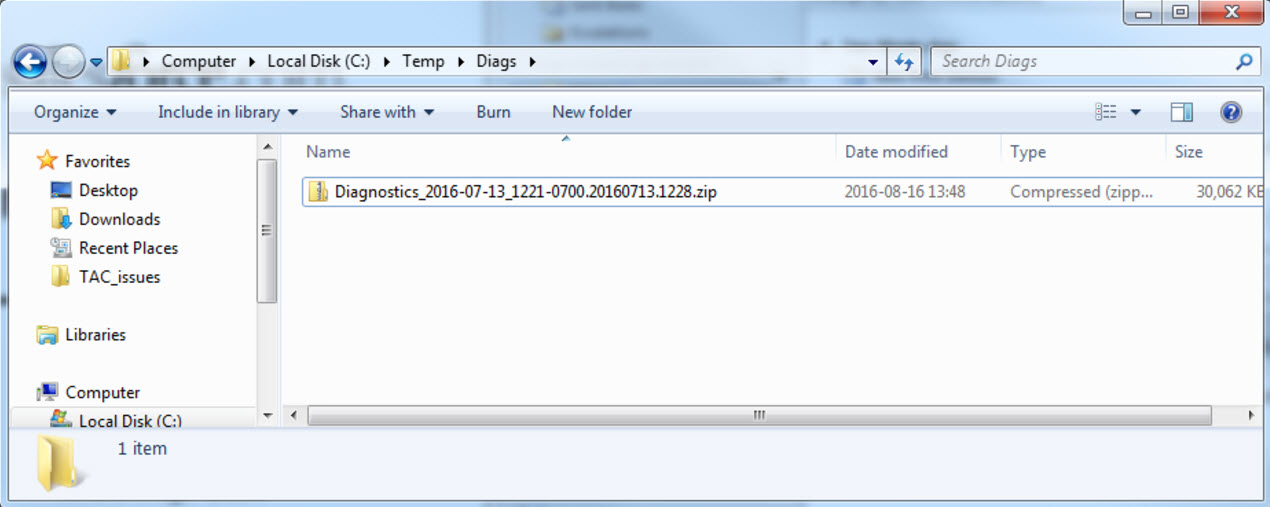
- Security properties dialog showing the permissions for "Authenticated Users" selected for
C:\Temp\Diags\Diagnostics_2016-07-13_1221-0700.20160713.1228.zip:
- Security properties dialog showing the permissions for "Authenticated Users" selected for
C:\Temp\Diags:
- Explorer view of file
- The Windows user that is trying to perform the access including the domain that user is in (e.g.
- The security on the file and its parent directory as observed from the HNAS CLI using the HNAS CLI command
fsm security-decode-file <pathname>(e.g.fsm security-decode-file /myfilesystem/myexportdirectory/mydirectory/myfile;fsm security-decode-file /myfilesystem/myexportdirectory/mydirectory). - The user mappings (from the HNAS CLI command
user-mappings-list) for the user(s) in question. - The group mappings (from the HNAS CLI command
group-mappings-list) for the group(s) in question. - A packet capture, in PCAP format, taken on the client, showing the operation that is being tried and the failure that's being returned by the HNAS. Please ensure the capture does not truncate the packets - we need the full packet payload to be able to properly decode all the operations. For additional guidance on this refer to How to Collect Packet Captures for Troubleshooting HNAS Problems.
- A set of HNAS Diagnostics for the cluster in question.
Additional Notes
- The security model on the HNAS is discussed in the document (Hitachi NAS Platforms OS 6.x Security Model.pdf), which is attached to this article.
- If you are familiar with PowerShell you might use the command Get-Acl to gather information from the Windows client. https://learn.microsoft.com/en-us/po...powershell-7.3
- Please combine
Get-AclwithFormat-List. https://learn.microsoft.com/en-us/po...powershell-7.3
Get-Acl C:\Windows | Format-List - If the EVS in question has more than 20 shares then the chances are the share information and SAA won't be in the HNAS diagnostics. In that case you will have to get that information from the HNAS CLI e.g. if the EVS in question was EVS 9:
vn 9 cifs-share list <name of share> vn 9 cifs-saa list <name of share> - For more information related to how to collect Packet Captures, see: How to Collect Packet Captures for Troubleshooting HNAS Problems