Hitachi Remote Ops Monitor Agent Data Collection - HROMA
Objective

This article shows the process on how to download the HROMA Logs.

Environment
  • Hitachi Remote Ops Monitor Agent
  • HROMA
Procedure

For version 9.7 and above:

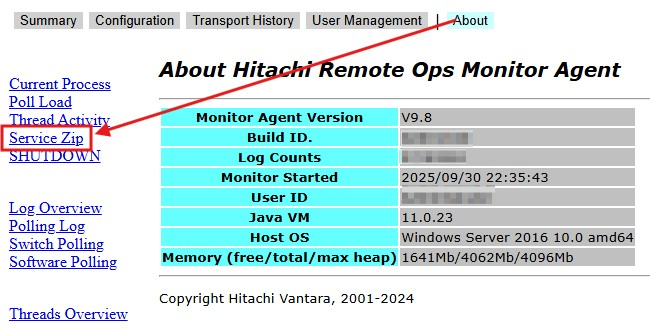
  1. Click on the About button.
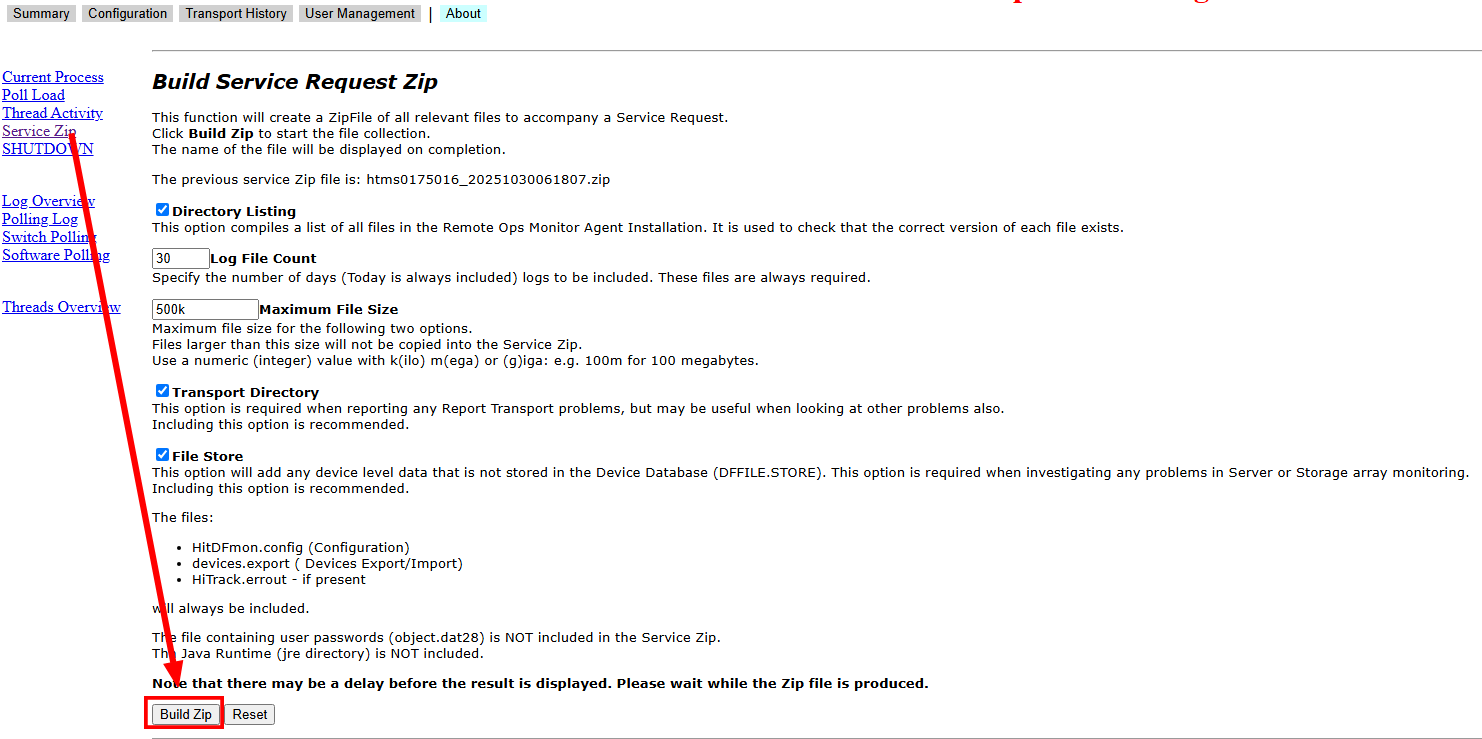
  2. Click on Service Zip.


  3. Click on Build Zip.

  4. The zip file is located in the C:\Program Files\HitDfmon (Windows) or /usr/hds/hitdfmon (Linux) directory.
  5. Please upload to TUF.

For all versions below 7.8 and when the service does not run:

  1. Please navigate to the HitDfmon folder.
    1. For Windows: c:\Program Files\hds\hitdfmon
    2. For Solaris and Linux: /usr/hds/hitdfmon
  2. Compress the complete folder.
  3. Please upload to TUF.
Additional Notes
CXOne Metadata

11929

Hi-track,TUF,Hi-Track Monitor,Hi Track,Data Collection,article:qanda,pagetype:knowledgearticle,monitor,Hitrack,HTM,Log Collection,Hitachi Remote Ops,HiRO,Monitor Agent,remote ops log

CXOne URL

https://knowledge.hitachivantara.com/Support_Information/Data_Collection/Remote_Ops/Hitachi_Remote_Ops_Monitor_Agent_Data_Collection